 Places
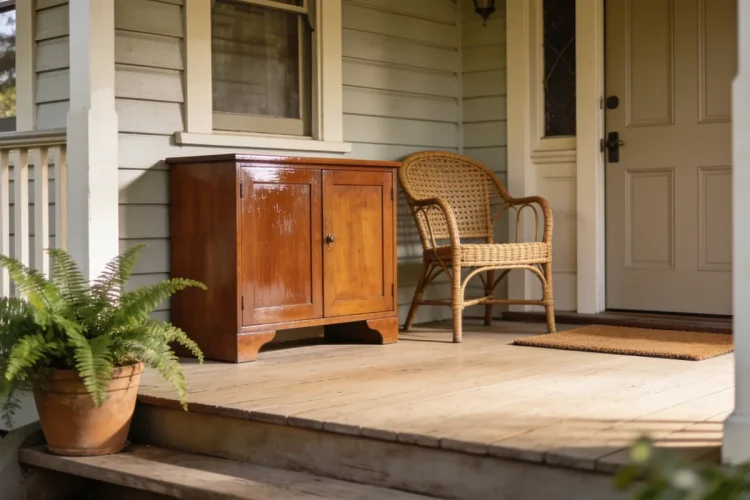
Picture a seller who lists a timber side cabinet on a Sunday morning. Within minutes a message arrives. The buyer will take it as it is, there is no need to come and look, and could you share your PayID so the money can go straight across? It feels easy. It is easy, and that is part of why careful people get caught.
PayID is a real feature of Australian banking, so this scam arrives wearing something genuine. That is not your fault, and there is nothing silly about being taken in by a story that sounds this official. Here is the position of this guide, stated plainly: you never pay to get paid. A real PayID payment shows up as a credit in your own banking app, and any buyer who needs money to go from you to them first is running the scam. Stop at the upgrade request and you have lost nothing at all.
How the Script Runs, Step by Step
The script usually runs the same way, though there are variations. A consumer advocacy group, in a guide updated on 3 January 2024, and WA ScamNet, on a page dated March 2023, describe the same four moves. It helps to see them in order, because each one on its own sounds almost reasonable.
| Step | What you hear (paraphrased) | What is actually going on |
|---|---|---|
| 1 | A reply within moments of your listing. They will buy as it is, rarely haggle or ask to inspect, and may say someone else will collect | Speed and no questions keep you from slowing down. A buyer who never wants to look is not really buying the item |
| 2 | “Can you send me your PayID?” They insist on it over any other method | They need something that sounds official to hang the story on |
| 3 | “There is a problem. Your PayID has to be upgraded to a business or professional account.” A message arrives that looks as if it comes from your bank or from PayID | The message is fake. The email or text is the tell |
| 4 | “I have paid the upgrade fee for you. Can you pay me back so the funds are released?” | The story now needs money to leave your account |
WA ScamNet describes the fake email as saying your funds are held until you “reimburse” the payment. If you do, you lose that money, you cannot reach the buyer, and you still have the item. At the time of that page, ScamNet recorded seven reports and one loss of $1,300. That consumer advocacy group puts PayID-specific scam losses at more than $260,000 in 2022.
Notice what is missing from steps one to three: nothing has cost you anything yet. The scam only works at step four, the first moment the story needs money to leave your account. That is the moment it breaks, and you can stop earlier, at the word “upgrade”.
The same push to hand money across before you have seen anything turns up on the other side of a sale. It is the pressure behind puppy scams, where the buyer is the one being squeezed instead of the seller.
Three Facts That Settle It
Whenever a message makes you doubt yourself, come back to these three.
PayID runs through your bank. It is offered by more than 100 financial institutions and sits in the “Pay Anyone” section of online banking. It is a feature of the account you already have, so there is no separate company holding your money to upgrade with.
The operator says PayID never contacts you. The scheme’s operator states on its own page that PayID will never contact you directly, and that an email or text claiming to be from PayID is a scam. That page carries no date, so we have leaned on a second source: a spokesperson for the operator gave the same statements to the consumer advocacy group, reported on 3 January 2024.
Nobody pays or upgrades to receive money. PayID never asks you to send money in order to receive money, and it never asks you to upgrade your account. A genuine payment appears as a credit in your own banking app. Nothing else counts: not an email, not a text, not a message from the buyer saying the money has gone.
If you only remember one line from this guide, make it that last one. The credit in your own app is the payment. Everything else is talk.
The 10-Second Check
When a buyer says they have paid, or that something is blocking the payment, do this before you reply to them.
- Open your banking app yourself. Tap the app on your phone. Do not use a link from a message, even if it looks like it came from your bank.
- Look for the credit. If the money is there, it is there. If it is not, treat it as not paid.
- If it is not there, the item stays where it is. WA ScamNet’s advice is to wait for the funds to appear in your account before you send any goods.
- If any message asks you to send money out, the sale is over. An upgrade, a fee, a refund of a difference, a “reimbursement”: it does not matter what the story is called.
Here is a suggested wording, our own, for when you want to hold the line politely:
“Thanks for your interest. A PayID does not need upgrading to receive a payment, and I can’t pay anything in order to be paid. If you would still like the item, you are welcome to pay me as normal, or we can do the transfer in person when you collect.”
It makes no accusation and leaves an easy door open for a genuine buyer. The consumer advocacy group suggests that, where possible, sellers complete PayID transfers in person while the item changes hands, which keeps the credit and the handover in the same moment. If it is a larger item, such as a car, the same habit applies on a bigger scale. Confirming the money has cleared before the keys go is exactly what the car-selling guide sets out.
What People Get Wrong About PayID, and What They Get Right
Two beliefs are worth answering, and both are partly true, which is why they stick.
Some sellers treat PayID as the safe option and tell anxious people to relax. They are right about one thing: a genuine credit in your own app is a real payment. What they miss is the buyer. In this scam nobody is paying you at all, so the safety of the product never comes into it.
Others say PayID itself is the danger. That is not right either. The consumer advocacy group reports that experts put the scam’s success down to public confusion about how PayID works, and the two state agencies describe PayID as a legitimate payment method with a fake story laid on top. So the ruling we take is this: the credit is real money, and the upgrade story is the scam. Both things are true at once.
There is a fair point on the other side as well, and it belongs to buyers. Picture a buyer who has never met you and is nervous about paying a stranger for something they have not seen. They worry about a fake seller in exactly the way you worry about a fake buyer. Cash at pickup, or a transfer made in person while the item changes hands, suits both of you. It is hard for either side to be fooled when the money and the item move at the same time.
If You Have Already Sent Money
If this is you, first, breathe. This is a well-built script, and it works on thoughtful people because it is designed to. Here are the steps, in the order Scamwatch gives them.
- Contact your bank straight away. Ask them to stop any further transactions.
- Change the passwords on your banking, email, government and shopping accounts.
- Call IDCARE, the free national identity and cyber support service. Scamwatch lists the number as 1800 595 160.
- Report it to Scamwatch.
Scamwatch says many payments are now instant and that it is unlikely you will get your money back. We would rather you hear that plainly than hope for something that may not come. Reporting still matters, because each report helps others spot the same script before they pay.
South Australia’s Consumer and Business Services offers some gentle advice for afterwards: set boundaries with the next buyer, and remember that other buyers will come along. When you list again, it can help to use ads where you set the terms up front. You can browse or list in the for-sale ads, or the car, bike and trailer ads, and say in your listing that you take payment in person at pickup.
Check the App, Not the Email
A real PayID payment never needs you to pay, upgrade or unlock anything. You are paid when the money shows in your own banking app, and any buyer who needs money to go from you to them first is running the scam. So the next time a message asks you to fix your PayID, put the phone down for a moment, open your banking app yourself, and look for the credit. If it is not there, treat it as not paid, and you can say a polite no.
Sources: Scamwatch, Buying and selling scams (https://www.scamwatch.gov.au/types-of-scams/buying-or-selling); WA ScamNet, PayID impersonation scams (https://www.scamnet.wa.gov.au/scamnet/Scam_types-Buying_or_selling-Classified_scams-PayID_impersonation_scams.htm); Consumer and Business Services SA, PayID scams (https://cbs.sa.gov.au/campaigns/payid-scams); Consumer advocacy group, PayID scams: How criminals are exploiting this ‘safe’ payment system, updated 3 January 2024 (https://www.choice.com.au/shopping/online-shopping/selling-online/articles/payid-scams); The PayID operator’s guidance page (undated)


